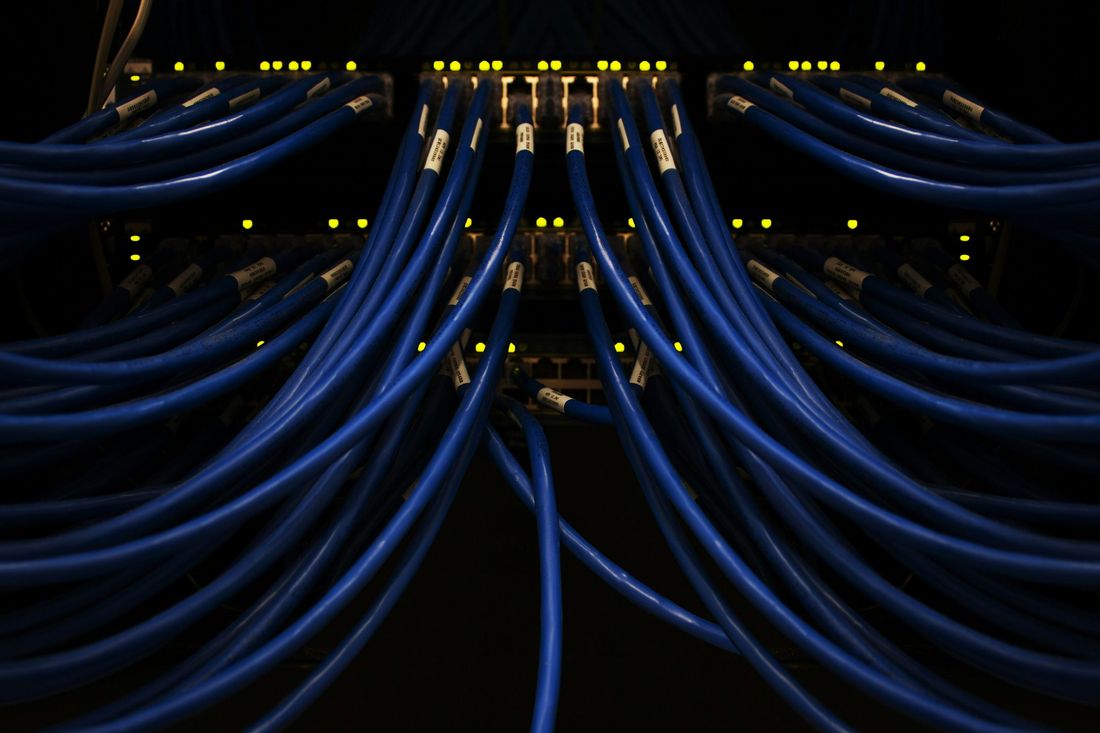
We build networks that are documented, segmented and patched, so one infected laptop can't easily reach everything else, and we help keep them that way.
Firewall rulesRule change to approveDecision needed
Illustration · not live data
01Who it's for
Is this service right for you?
It suits organisations that need a network built and run with security in mind, not just connectivity.
Built for
Businesses with 5 or more staff whose network grew one device at a time and is no longer documented
Organisations moving office, opening a new site or replacing ageing firewalls and Wi-Fi
Teams with staff working remotely who need secure access to office systems
Councils, schools, clinics and other regulated organisations that must separate guest, staff and sensitive systems
You probably need it if…
Nobody can say what every port and cable is for
Wi-Fi drops out in parts of the office
Your firewall hasn't been reviewed since it was installed
Guests and staff share the same Wi-Fi network
Your VPN still lets staff sign in without MFA
02What's included
What you get
Design & build
Network design
A documented design for your office or sites: internet links, firewall, switching, Wi-Fi coverage and how staff, guest, phone and device traffic are kept apart, so you have a plan to build from.
Switching and routing
Managed switches configured with separate network segments (VLANs), routing between sites and a clear record of which port connects to what, so faults are easier to trace.
Business Wi-Fi
Wi-Fi planned for coverage and capacity, with staff and guest networks kept separate, modern encryption, and access points managed centrally so settings stay consistent across the office.
Office moves and new sites
Planning and delivery of an office move or fit-out: cabling requirements, internet service orders, equipment installation and testing before your staff arrive.
Secure
Firewall deployment and management
Business firewalls installed, configured and maintained, with rules reviewed, firmware kept current and rule changes documented with the reason they were made.
Secure remote access
VPN access for staff working from home or on the road, protected with multi-factor authentication (MFA) and limited to the systems each person actually needs to reach.
Monitor & maintain
Monitoring and maintenance
Network devices monitored for faults, configuration backed up and firmware updated regularly, so many problems can be picked up before your staff notice them.
Managed IT
A network you can understand
An undocumented network is hard to troubleshoot and harder to secure. We document your key network devices and settings, and tighten what isn't needed, so changes and problems are easier to spot.
03In detail
Network services, in depth
What does network deployment, management and configuration cover?
Your network is everything that connects your people to each other and to the internet: the internet link, firewall, switches, cabling, Wi-Fi and remote access. Deployment means designing and installing it; management and configuration means keeping it running, patched and documented after that.
Why does a security company care about your network?
Your network decides how easily an attacker can get in and how far they can move once inside. A flat network, where every device can reach every other device, lets one infected laptop reach your file server, accounting system and backups.
We design networks to limit that:
Segmentation: staff, guests, phones, printers and cameras sit on separate network segments with controlled access between them.
Firewall rules with a reason: rules are documented, and anything that isn’t needed is removed.
Patched equipment: firewall, switch and Wi-Fi firmware is kept up to date. The Australian Signals Directorate’s (ASD) guidance on securing edge devices explains why firewalls and VPNs are a frequent target.
Remote access: an old VPN without MFA is a well-known way in for attackers, so we treat it as a priority.
Logging: firewall logs are kept so suspicious activity can be investigated.
Firewalls and other network equipment can be supplied through our IT hardware procurement service, and their security subscriptions renewed through software licensing. For firewall alerts watched as part of a wider security service, see managed security, and if you want an independent check of how well your network holds up, a penetration test can show you what an attacker could reach.
How do network projects and ongoing management fit together?
A new design, an office move or a firewall replacement is run as a project. After that, ongoing management keeps the network monitored, patched and documented, and it can sit inside a wider managed IT support arrangement. New hardware for a move or new site is configured securely before it arrives.
04The process
How it works
1Step 01
Site survey and audit
We document your current network, firewall rules and Wi-Fi coverage, and identify security gaps and single points of failure.
2Step 02
Design and quote
You receive a written design and a quote for equipment and labour, with options where there is a real choice to make.
3Step 03
Install and configure
We stage and configure equipment before installation, then deploy it in a planned window to keep disruption low.
4Step 04
Test and hand over
We test coverage, failover, VPN and firewall rules, and give you documentation of the finished network.
5Step 05
Ongoing management
If you choose managed networking, we monitor, patch and maintain the network and handle changes through our helpdesk.
05Frameworks
How this maps to the frameworks
Useful for your auditor, board or procurement team. The mapping shows where this service supports each framework. It doesn't replace a formal assessment.
Network Services: framework mapping
Control
ASD Essentials
ASD maturity model (current)
ISO/IEC 27001
NIST CSF
Firewall and network segmentation
Boundary services
–Not applicable
A.8.20, A.8.22
Protect (PR.IR-01)
Secure remote access with MFA
Boundary servicesIdentity services
Multi-factor authentication
A.6.7, A.8.5
Protect (PR.AA-03)
Firmware updates for network devices
–Not applicable
–Not applicable
A.8.8
Protect (PR.PS-02)
Firewall logging
–Not applicable
–Not applicable
A.8.15
Detect (DE.CM-01)
Configuration backup and documentation
–Not applicable
–Not applicable
A.8.9
Protect (PR.PS-01)
06Pricing
Pricing and how to start
Pricing
Quoted for your environment
What changes the price
Network design, new equipment, office moves and installations are quoted as projects, based on site size, devices and the cabling or Wi-Fi coverage needed. Ongoing cost depends on the number of sites and devices. Network management is included in the Business and Secure+ managed IT plans, and additional site or firewall management starts from $99 per site per month, ex GST.
Look for VPN support with MFA, central management, and a security subscription that adds web filtering and intrusion prevention. Check the vendor will keep releasing firmware updates for the years you plan to use it. We recommend a model based on your size, number of sites and existing equipment, and can take over a firewall you already own if its vendor still supports it.
Why should guest Wi-Fi be separate from our staff network?
A guest on the same network as your staff can see and reach your computers, printers and file shares. If their device is infected, your systems are exposed too. Putting guests on a separate network that only reaches the internet removes that risk. We apply the same idea to phones, cameras and other connected devices, which are often hard to patch.
Can you manage our network during an office move?
Yes. We plan the network side of an office move from the start: cabling requirements, internet service orders, equipment placement, firewall and Wi-Fi configuration, and testing before your staff arrive. New internet services can take a while to connect, so involving us early reduces the risk of starting in the new office without proper connectivity.
Is a VPN still the right way to give remote staff access?
A VPN is still a sound choice for reaching systems that only exist in your office, such as a file server or an on-premises business application. It must be protected with MFA and limited to what each person needs. If most of your work is already in Microsoft 365 or other cloud services, staff may not need a VPN at all, which removes one thing to attack.
How often should firewall rules be reviewed?
Firewall rules should be reviewed regularly and whenever your systems change, such as a new application, a decommissioned server or a change of provider. Old rules tend to accumulate, and each one can leave a door open that nobody remembers. When we manage your firewall, rule changes are documented with the reason, so reviews are quicker and evidence is easier to produce.