
Chatbots get the attention, but most of what businesses ask of private AI is quiet work: reading requests, turning PDFs into tables, answering questions from documentation. Here is how we wired those workloads in our lab, how they broke, and how to build your own.
Where this fits · Running Local AI in Production · Part 10 of 11
You are reading Part 10 of 11 in a series where we built a private AI server in our lab and ran realistic test workloads on it for seven weeks. Each part stands on its own. The previous part covered a Telegram AI agent on local models, and why its fixed prompt became the budget; this one covers document, email and knowledge-base workflows that keep data on the server.
← Part 9: Why Was Our Telegram AI Agent So Slow? The Hidden Prompt Cost · Series guide · Part 11: Is Private AI Worth It? Lessons From Seven Weeks in Our Lab →
Just want it working? Follow the step-by-step setup guide: local AI with Ollama and LiteLLM, from a bare server to a secure gateway.
See all 11 parts of the series
- Local AI or Cloud AI? Why We Built a Private AI Server: why we built the lab on our own hardware, what ran on it and what that choice cost
- How Do You Control Access to Local AI Models? Use a Gateway: one LLM gateway as the only way to reach a model: keys, budgets and tracing
- Why Does a Local AI Server Freeze? Sizing Memory for LLMs: five hard freezes and the memory budget that ended them
- What Happens When a Prompt Is Too Big for a Local LLM?: fitting every prompt to a local model’s context window
- How Do You Run Several AI Models on One GPU Without Slowdowns?: routing requests across models on a single GPU without constant model swaps
- How Do You Keep an AI Server Stable? GitOps for Local AI: running the server from a Git repository: deploys, drift, pinning and safe AI agents
- What Is Your Local AI Server Actually Doing? Observability Basics: making the server observable: traces, dashboards, usage and heat
- Can Local AI Agents Analyse Stocks? How We Tested and Scored Them: a multi-agent stock-analysis experiment and how we scored the agents
- Why Was Our Telegram AI Agent So Slow? The Hidden Prompt Cost: a Telegram AI agent on local models, and why its fixed prompt became the budget
- Can AI Automate Business Workflows Without Sending Data Out? (you are here): document, email and knowledge-base workflows that keep data on the server
- Is Private AI Worth It? Lessons From Seven Weeks in Our Lab: the lessons from seven weeks, the honest limits and what comes next
This series documents a private AI server we built and stress-tested in our lab. Workloads and data are synthetic or generalised; the problems, measurements and fixes are real.
TL;DR
- Yes. In our lab, n8n workflows, document OCR and knowledge bases all ran on local models, and every call went through one gateway with no route to the cloud, enforced by a check on every commit.
- Most of what businesses want from private AI is quiet work, like reading requests, turning PDFs into tables and answering from documentation. The risks are workflows that fail without telling anyone and documents that slip off to a cloud service.
- We sent every workflow, chat and tool through one gateway with its own key, loaded heavy models only when needed, and registered our knowledge bases as models on the gateway so every client could use them.
- The quiet failures cost the most. Forms stopped completing after an upgrade, a knowledge base sent blank answers to streaming clients, and tool calls vanished without an error. Each was found and fixed.
- The lesson: an endpoint that answers is not a workflow that completes. Re-test the real request (streamed, with tools, through the gateway) after every upgrade, and never let a local model fall back to the cloud.
Jargon buster: 15 terms used in this post, explained in plain English
- Slot (parallel requests): One request a model server can work on at the same time. More slots serve more people at once but reserve more memory.
- Ollama: Free, open-source software that downloads and runs AI models on your own machine and answers requests over a local API.
- LiteLLM: Open-source software that puts one front door in front of many AI models, with per-user keys, budgets, limits and logging.
- LLM gateway: A single service every AI request must pass through, so access, budgets and logging are controlled in one place.
- API key / virtual key: A secret string that identifies the program making a request. Giving each program its own key lets you limit and track it separately.
- Trace: A detailed record of one request as it passes through each part of a system, used to find where time or errors come from.
- n8n: An open-source workflow automation tool (similar to Zapier) that connects apps and AI models into step-by-step automated workflows.
- RAG (retrieval-augmented generation): A technique where the system first looks up relevant passages in your own documents and gives them to the model, so answers are based on your content.
- Embedding: A list of numbers that represents the meaning of a piece of text, so similar texts can be found by comparing numbers.
- Qdrant: An open-source vector database used to store and search embeddings for RAG.
- Chunking: Splitting long documents into smaller passages before creating embeddings, so the right part can be found and fits in the context window.
- OCR: Optical character recognition: turning scanned documents or images of text into machine-readable text.
- Telegram bot: An automated account on the Telegram messaging app that people chat with; here, the front end for an AI agent.
- Docker / container: A way of packaging an application with everything it needs so it runs the same anywhere; each packaged application runs in its own container.
- Loopback: A network address that only the server itself can reach, so a service listening there isn’t exposed to the network.
The problem: can quiet AI work happen without the data leaving?
Businesses rarely ask for "a chatbot". They want help reading emails and pulling out what the sender wants, turning PDFs into a spreadsheet, or answering questions from documentation without making things up. That work touches invoices, enquiries and internal documents, which is exactly the data you don’t want leaving your hands.
So in our lab we built test versions of those jobs on sample data. n8n, an open-source workflow automation tool, did the plumbing, and local models did the reading, extracting and answering. Two risks showed up quickly. Automations can stop working without any error, which means work silently not getting done. And a convenient retry setting can quietly send a document to a cloud provider, which is a privacy failure nobody sees.
What we were aiming for
- Every model call traceable to a named client, so a broken workflow or runaway job is easy to find.
- Documents and requests never leaving the server, enforced in code rather than by habit.
- Heavy, rarely used models that don’t sit in memory all day.
- Workflows we can prove complete end to end, especially after upgrades.
How we approached it
The simplest option was to let every tool call the model server, Ollama, directly. That is how most tutorials start, and early in the lab it loaded models nobody had planned for, with no record of who asked. Cloud APIs fail the privacy goal.
We chose to put one gateway, LiteLLM (Part 2), in front of everything. It holds the keys, the input budget for each model, the queue and the trace. Everything except the gateway listens on the server itself (loopback), and the gateway and dashboards need authentication. Every workflow, chat window, agent and lab device is a client of that gateway with its own key. The server is a compact desktop AI server with roughly 120 GB of unified memory shared by the CPU and GPU, so memory, not disk, is the budget.
What we built
Workflows with their own key
n8n ran a few dozen active test workflows, plus drafts kept for reference. Document request workflows use a local 12-billion-parameter model to pull fields out of a sample request, draft a reply for a person to review, and file it. Mailbox triage workflows read a synthetic mailbox and sort each message into a category.
n8n has its own gateway key and never uses the admin key, and its old direct route to Ollama closed when Ollama moved to loopback. Usage and failures are reported per caller, and revoking one client leaves the others alone.
OCR that loads only when needed
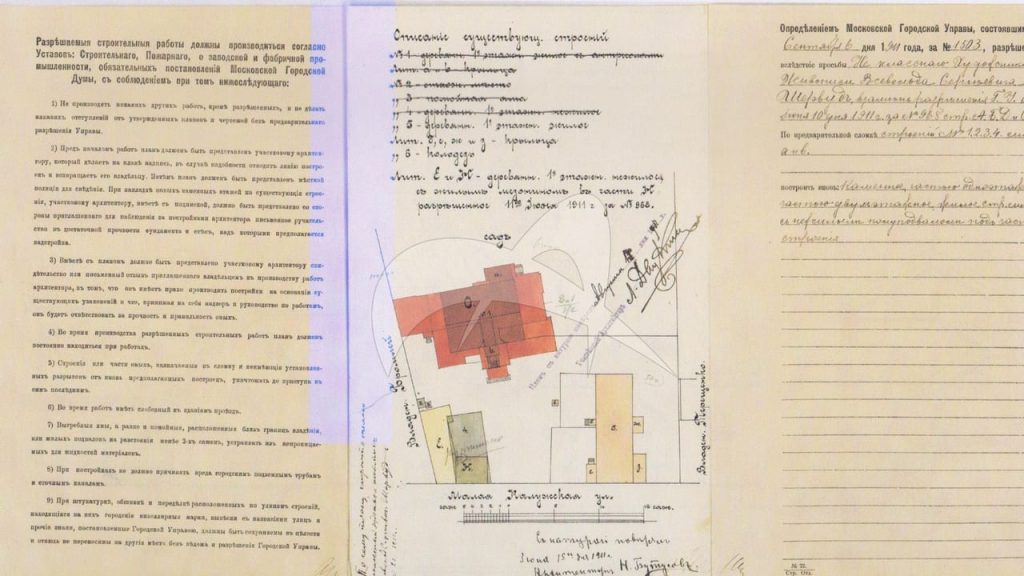
Document OCR turns scanned PDFs and images into Markdown with tables. The model is an open 3-billion-parameter vision-language model served behind a small API. A tester uploads a file through an n8n form and gets Markdown back. We tested it on sample invoices, test PDFs and public documents.
A 6–7 GB model idle most of the day shouldn’t stay resident, so the API loads it on the first job, handles one job at a time, caps a document at 50 pages and unloads after 10 minutes idle. That is part of why the memory budget keeps at least 40 GB free.
Knowledge bases as models on the gateway
A general model answers questions about documentation confidently and sometimes wrongly. So we built two knowledge bases from open-source project documentation using RAG, retrieval-augmented generation: the system first finds the most relevant passages in trusted documents and puts them in the prompt, so the model answers from them. The search uses embeddings, which turn each passage into a vector so that passages with similar meaning sit close together. Qdrant, a vector database, holds one collection per knowledge base and finds the nearest passages quickly.
Each knowledge base is a small worker container. It re-ingests its documentation on a schedule, retrieves and reranks passages, and asks gemma4 for an answer with citations, falling back to qwen3-coder, another local model.
The decision we would copy is registering both workers as models on the gateway, each under its own name. The workers already spoke the OpenAI chat API, so every client got them for free. The lab’s chat UI lists them, n8n and the Telegram agent (Part 9) call them with their own keys. They are marked routable: false, so the smart router (Part 5) never sends a general question to a documentation set. The workers listen on loopback only, and their own model calls go back through the gateway on a key that allows only the two local models.
One chat window and every device on the same door
Open WebUI, the lab’s ChatGPT-style interface, lost its direct connections to Ollama and the workers. Its only backend is the gateway, on its own key, so every chat lands in the same trace as the workflows. Each lab device gets its own named key, so a lost device means revoking one key. Coding assistants in the editor point at the gateway too, with autocomplete on a 1.5B model, because a big model behind autocomplete gets a request on almost every keystroke and pushes everyone else’s model out of memory.
No fallback to the cloud
LiteLLM can retry a failed or slow request on another model. Give a document-reading model a short timeout and a cloud fallback, and whenever the GPU slot is busy the gateway quietly re-sends the document to the cloud.
A fallback belongs to the model, not the caller, so limiting which keys may use cloud models doesn’t help. The rule is structural. Local models fall back only to each other, and a pre-commit check refuses any gateway config with a local-to-cloud fallback, a default fallback naming a cloud model, or a fallback naming a model that doesn’t exist, since a typo would otherwise switch the check off. It runs on every commit, whoever wrote the config. The one written exception is the stock-analysis test in Part 8, whose two deep reasoning calls may use free OpenRouter models on their own key, with a local fallback and every call logged. Free tiers may log or train on prompts, so that step only ever sees public market data.
Want AI to take on routine work, without sending your data to a public service? We build secure AI automations and agents that run on infrastructure you control, with a person reviewing what matters.
Challenges we hit
Forms that never finished after an upgrade
A tester reported the stock-analysis form "is doing analysis for 20 mins and no output". The analyses had finished, in 325 and 415 seconds, but the browser never left the form page and the executions sat in waiting forever. A recent n8n upgrade expected the Form Trigger’s path as a top-level parameter, and our forms still had it under options. The URL still answered from the old registration, but the completion step never fired. A throwaway form-and-wait workflow proved it, completing in 8 seconds once path moved. We fixed both forms through n8n’s API and watched a test request finish in a real browser.
Tool calls that vanished
The same day, agent jobs failed with no errors, because the gateway used Ollama’s generate endpoint, which has no native tool calling; switching chat models to ollama_chat/ fixed it (Part 8). Autocomplete stays on the generate endpoint, which fill-in-the-middle needs.
Blank answers for every streaming client
The first live test of the knowledge bases returned nothing. The workers ignored stream: true and sent one complete JSON response, while the gateway expected server-sent events and passed on an empty chunk and [DONE]. Every streaming client saw a blank answer while non-streaming calls worked. We fixed the worker to return OpenAI-style chunks of about 240 characters when asked to stream.
Budgets worked out instead of measured
Two smaller models hit their 6,000-token budget with test prompts of up to 10,832 tokens, so we gave them 32k-context versions and measured the cost. One took 3.22 GB more memory and the other only 0.80 GB, because it uses sliding-window attention. The embedding model for the gateway’s compaction, nomic-embed-text, had been given 4,096 tokens by arithmetic. Two inputs identical for 2,400 tokens and different only at the end produced byte-identical vectors, because it clamps at 2,048 and truncates silently. The budget is now 2,048.
OCR quirks
The faster serving engine, SGLang, didn’t work on this server, so OCR runs on plain Transformers in bfloat16, because fp16 broke the masking operations. Without repetition limits (no_repeat_ngram_size), the output repeated one phrase over and over. A "remove unused images" clean-up in a container UI deleted the OCR base image, so that UI is now view-only. And when the OCR container lost GPU access (Part 3), the restore script missed it because it only knew about Ollama. It now finds every GPU container.
The result
Every model call in the lab is now traceable to a named client, and no document path leads off the server.
| Workload | What we measured |
|---|---|
| OCR | 51.6 s for the first page after a cold start, roughly 70% fidelity on dense tables |
| Knowledge-base answer | 35–60 s after idle, then 10–20 s |
| Stock-analysis form | completes again, with analyses of 325 and 415 s |
What it still costs is latency, since a second caller queues behind the first on the one-slot GPU. Quality has a ceiling: a 3B OCR model and 12B–30B extraction models are good for first drafts, with a person checking anything before it is used. Upgrades break things quietly, so someone has to own re-validation. Now and then a knowledge-base answer comes back with sources but no text, and asking again fixes it. Next on our list are scheduled smoke tests, better OCR fidelity on a larger sample set, and a real fix for that blank answer.
Do it yourself: a document workflow that stays on the server
What you need: a Linux server with a GPU, Docker, Ollama and LiteLLM set up as in Part 1 and Part 2, plus self-hosted n8n, Qdrant, an OCR model you can serve over HTTP, and a reverse proxy with TLS and authentication. Allow a day.
Run n8n and Qdrant in Docker Compose, pinned by image digest, with
restart: unless-stopped, ports published on loopback only, and a Qdrant API key even on loopback, since other containers can reach it. Testers and approvers need to reach n8n’s forms, so put n8n behind an authenticated reverse proxy with TLS, and tell n8n its public address:services: n8n: image: n8nio/n8n@sha256:<digest> restart: unless-stopped ports: ["127.0.0.1:5678:5678"] environment: WEBHOOK_URL: https://<your-n8n-hostname>/ qdrant: image: qdrant/qdrant@sha256:<digest> restart: unless-stopped ports: ["127.0.0.1:6333:6333"] env_file: [qdrant.env] # mode 600; sets the Qdrant service API keyqdrant.envsetsQDRANT__SERVICE__API_KEYto a long random value; keep the same value inQDRANT_API_KEYfor the commands below. Check:curl -fsS 127.0.0.1:5678/healthz/readinessreturns HTTP 200, andcurl -s 127.0.0.1:6333/collections -H "Authorization: Bearer $QDRANT_API_KEY"answers. From another machine, only the proxy’s HTTPS address answers, and only after you log in.Give n8n its own gateway key with
/key/generate, allowed only the models it needs. In n8n, create an OpenAI credential whose base URL is the gateway’s/v1address.Check: a test chat node returns a reply, and the call appears under n8n’s key in the gateway’s logs.
Serve OCR behind a small API that loads on demand. Load the model on the first request, run one job at a time behind a lock, cap the pages, and free it after a few idle minutes. If the model needs
trust_remote_code, pin the model revision. In outline:lock, model, last_used = asyncio.Lock(), None, 0.0 @app.post("/ocr") async def ocr(file: UploadFile): global model, last_used async with lock: model = model or load_model() # first job pays the load time pages = to_images(await file.read())[:MAX_PAGES] text = "\n\n".join(run_ocr(model, p) for p in pages) last_used = time.time() return {"markdown": text} async def unload_when_idle(): # started as a background task global model while True: await asyncio.sleep(60) async with lock: if model and time.time() - last_used > IDLE_SECONDS: model = free(model) # returns None and empties the GPU cacheCheck: posting a sample PDF returns Markdown, and the model’s memory is released after the idle period.
Build the workflow: a Form Trigger for the upload, an HTTP Request node to the OCR API, then a model call through the gateway that extracts the fields you need as JSON and drafts a reply.
Check: a sample invoice produces valid JSON with every field filled or explicitly empty.
Make a person approve the draft. Add a Wait node that resumes "On Form Submitted", send the approver its resume-form URL (for example by email from the workflow), and only file or send after it.
Check: the execution sits in
waitinguntil someone approves, then completes.Create a knowledge-base collection sized to your embedding model. For
nomic-embed-textthat is 768 dimensions.curl -X PUT 127.0.0.1:6333/collections/docs -H "Authorization: Bearer $QDRANT_API_KEY" \ -H 'Content-Type: application/json' \ -d '{"vectors": {"size": 768, "distance": "Cosine"}}'Check:
curl -s 127.0.0.1:6333/collections/docs -H "Authorization: Bearer $QDRANT_API_KEY"shows statusgreen.Chunk, embed and load the documents. Split them into chunks well under the embedding model’s measured limit, embed through the gateway’s
/v1/embeddings, and store each chunk with its source.nomic-embed-textexpects asearch_document:prefix on chunks andsearch_query:on questions.Check: at your maximum chunk size, two inputs that differ only in their last sentence give different vectors (proving nothing is cut), and the collection’s point count matches your chunk count.
Serve the knowledge base as a model. A small worker with an OpenAI-compatible chat endpoint that retrieves passages, asks a local model through the gateway, and streams when asked. In outline:
@app.post("/v1/chat/completions")
async def chat(req: dict):
    question = req["messages"][-1]["content"]
    hits = qdrant.query_points("docs", query=embed("search_query: " + question), limit=6).points
    answer = await gateway_chat(LOCAL_MODEL, cited_prompt(question, hits))
    if req.get("stream"):
        return StreamingResponse(as_sse_chunks(answer), media_type="text/event-stream")
    return completion_json(answer)
Register it on the gateway under its own name, and keep it out of automatic routing.
Check: ask it the same question streamed and unstreamed, and both return text with sources.
Block cloud fallbacks in a pre-commit hook that fails when any local model’s fallback names a cloud model or a model that doesn’t exist.
Check: add a fake local-to-cloud fallback and confirm the commit is refused.
Re-validate after every upgrade. Enable n8n’s public API, then re-activate each active workflow with
POST /api/v1/workflows/<id>/activateand anX-N8N-API-KEYheader; it reports validation errors. Submit one test form end to end.Check: the form reaches its completion page, and a request with tools returns
tool_calls.
Key takeaways
- Send workflows, chat, agents and devices through one gateway, each with its own key.
- Expose knowledge bases as models, so every client you already have can use them.
- Load heavy, rarely used models on demand and unload them when idle, because memory is the budget.
- Re-validate after every upgrade, and test the real shape of the request: streamed, with tools, through the gateway. An endpoint that answers is not a workflow that completes.
- Enforce "no local-to-cloud fallback" in code. A fallback belongs to the model, so it applies to every caller.
Planning private AI?
Catharsis Cyber Security is a Sydney cyber security company. We design, build and secure private AI platforms like the one in this lab, and help you decide where local or cloud AI fits.
Keep reading the series