

Eleven posts on what it really takes to run AI on your own hardware, from a private AI server we built and stress-tested in our lab. Start here to find the parts that answer your question, whether you own the business, run its IT or build the platform.
Where this fits · Running Local AI in Production
Over seven weeks we built a private AI server in our lab and ran realistic test workloads on it. This guide shows what each part covers and where to start.
Part 1: Local AI or Cloud AI? Why We Built a Private AI Server →
Just want it working? Follow the step-by-step setup guide: local AI with Ollama and LiteLLM, from a bare server to a secure gateway.
See all 11 parts of the series
- Local AI or Cloud AI? Why We Built a Private AI Server: why we built the lab on our own hardware, what ran on it and what that choice cost
- How Do You Control Access to Local AI Models? Use a Gateway: one LLM gateway as the only way to reach a model: keys, budgets and tracing
- Why Does a Local AI Server Freeze? Sizing Memory for LLMs: five hard freezes and the memory budget that ended them
- What Happens When a Prompt Is Too Big for a Local LLM?: fitting every prompt to a local model’s context window
- How Do You Run Several AI Models on One GPU Without Slowdowns?: routing requests across models on a single GPU without constant model swaps
- How Do You Keep an AI Server Stable? GitOps for Local AI: running the server from a Git repository: deploys, drift, pinning and safe AI agents
- What Is Your Local AI Server Actually Doing? Observability Basics: making the server observable: traces, dashboards, usage and heat
- Can Local AI Agents Analyse Stocks? How We Tested and Scored Them: a multi-agent stock-analysis experiment and how we scored the agents
- Why Was Our Telegram AI Agent So Slow? The Hidden Prompt Cost: a Telegram AI agent on local models, and why its fixed prompt became the budget
- Can AI Automate Business Workflows Without Sending Data Out?: document, email and knowledge-base workflows that keep data on the server
- Is Private AI Worth It? Lessons From Seven Weeks in Our Lab: the lessons from seven weeks, the honest limits and what comes next
This series documents a private AI server we built and stress-tested in our lab. Workloads and data are synthetic or generalised; the problems, measurements and fixes are real.
TL;DR
- This is an eleven-part series about running AI on your own hardware, based on a private AI server we built and tested in our lab for seven weeks.
- Each part follows one real problem from symptom to fix, with measurements, and ends with steps you can follow.
- Business owners should start with Parts 1, 10 and 11. IT leads should start with Parts 1, 2 and 6. Engineers should start with Parts 3, 4 and 5.
What this series is, and who it is for
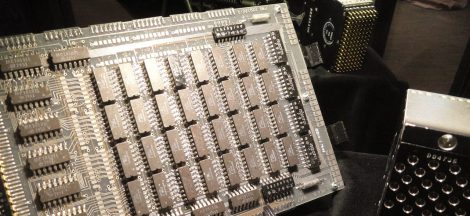
We wanted to know whether a small team could run its everyday AI on its own hardware, without sending its data to a cloud service. So we built a private AI server on an NVIDIA DGX Spark, a compact desktop AI system built on the GB10 Grace Blackwell Superchip with 128 GB of unified memory shared by the CPU and GPU, and ran local large language models (LLMs) on it. For seven weeks we put it under realistic test workloads: document requests, email routing on a synthetic mailbox, OCR of test invoices, a Telegram assistant, coding assistants, a demo knowledge base and a multi-agent analysis experiment on public market data.
It works now, but it didn’t on the first attempt. Along the way we hit hard freezes, prompts that were quietly cut short, token counts that were out by up to 322 times, a monitoring sensor that went blind while reporting an idle server, and an "off" switch that didn’t switch anything off. This series is the record of those problems and what fixed them.
How to use this series
Read the parts in order if you want to build the whole platform, because each one adds a layer to the server from the part before. If you have a specific question, jump straight to the part that answers it; each part explains its own problem first. Every part follows the same story, from the problem through what we built and what went wrong to the result, and ends with a hands-on "Do it yourself" section you can follow on your own Linux server.
Start here
If you own or run a business, start with Part 1 for why we went local and what it really costs. Then read Part 10 to see the everyday work local AI handles well, and finish with Part 11 for the lessons and the cases where cloud AI still makes sense.
If you lead IT, operations or security, read Part 1 for the overall design, then Part 2 on putting one controlled gateway in front of every model. Part 6 covers running the server from Git and scoping AI coding agents, and Part 7 covers monitoring that you can trust.
If you are an engineer building the platform, start with Part 3 on memory and the freezes, then Part 4 on context budgets and Part 5 on routing requests on a single GPU. If you build agents, add Part 8 and Part 9.
Planning AI in your organisation? Catharsis is a Sydney cyber security company that helps you adopt AI securely, from private AI servers to AI policies and automation.
The eleven parts
Part 1: Local AI or Cloud AI? Why We Built a Private AI Server
Problem: cloud AI sends your data elsewhere and bills per token. We did: build one private AI server and run seven weeks of realistic test work on it, under one rule: data never leaves the server. Result: it works, at the price of becoming the operator. Hands-on: set up a base server with Ollama.
Part 2: How Do You Control Access to Local AI Models? Use a Gateway
Problem: clients could reach the models three ways, and one admin key opened everything. We did: make one gateway the only door, with a key per client, a budget check before the GPU and no cloud fallback. Result: oversized prompts are refused in milliseconds and every call is traced. Hands-on: put LiteLLM in front of Ollama.
Part 3: Why Does a Local AI Server Freeze? Sizing Memory for LLMs
Problem: the server froze hard five times with no error in any log. We did: trace the cause to memory reserved for context, not the model weights, and write a measured memory budget. Result: the main model went from about 33 GB to 20.3 GB, with a watchdog and an outside heartbeat as backup. Hands-on: size a memory budget for Ollama.
Part 4: What Happens When a Prompt Is Too Big for a Local LLM?
Problem: at its limit a local model silently cuts a prompt short. We did: add admission checks and conversation compaction in the gateway, then fix a token counter that was out by up to 322 times. Result: oversized prompts are refused or condensed in one place, never silently truncated. Hands-on: add an admission check to LiteLLM.
Part 5: How Do You Run Several AI Models on One GPU Without Slowdowns?
Problem: our first smart router made every request slower and pushed other clients’ models out of memory. We did: route with plain rules first and prefer models that are already loaded. Result: routing now takes under half a second instead of a 9-second model swap. Hands-on: build rules-first routing for two resident models.
Part 6: How Do You Keep an AI Server Stable? GitOps for Local AI
Problem: nobody could say what was running, after a silent upgrade, a deleted image and a backup that had stopped. We did: run the server from a Git repository through one deploy script, with pinned versions. Result: every change has a history and a rollback, and AI coding agents work through the repository with scoped access. Hands-on: set up a GitOps repository for one AI server.
Part 7: What Is Your Local AI Server Actually Doing? Observability Basics
Problem: the freeze warnings sat in a log nobody read, and tracing had never recorded anything. We did: add tracing, dashboards, an hourly guard, a queue view and a heat recorder. Result: every call is visible, and we learned that sensors must fail loudly. Hands-on: add tracing and monitoring in an afternoon.
Part 8: Can Local AI Agents Analyse Stocks? How We Tested and Scored Them
Problem: an open-source team of AI analysts failed silently on local models. We did: fix tool calling, token counting and market data, then add a ledger that scores the agents against later price moves. Result: it runs, and the first score was worse than a naive baseline. Hands-on: run TradingAgents on local models through a gateway. General information only, not financial advice.
Part 9: Why Was Our Telegram AI Agent So Slow? The Hidden Prompt Cost
Problem: a Telegram assistant on local models refused every request or took two minutes to reply. We did: shrink the fixed prompt it sends on every turn instead of raising limits. Result: the fixed prompt fell from 32–35k tokens to 14.9k, and replies take 3–7 seconds. Hands-on: run a chat agent with a measured prompt budget.
Part 10: Can AI Automate Business Workflows Without Sending Data Out?
Problem: the quiet work businesses want from AI can fail without telling anyone, or leak documents to the cloud. We did: route every workflow, OCR job and knowledge base through the gateway on sample data. Result: patterns any business can copy, with data that stays on the server. Hands-on: build a document workflow that stays on the server.
Part 11: Is Private AI Worth It? Lessons From Seven Weeks in Our Lab
Problem: after seven weeks, what did the lab actually teach us? We did: gather the lessons, most from real failures, and the honest limits of a single local server. Result: a short list of rules, when the cloud still makes sense, and what we would build next. Hands-on: plan your own private AI server.
The software we used
Ollama ran the local models (the Gemma and Qwen families, with Nemotron kept in a sandbox) and LiteLLM was the gateway. Langfuse handled tracing, n8n ran the workflows, Qdrant stored the vectors for search and Open WebUI provided the chat. Whisper did speech-to-text, Hermes Agent powered the Telegram assistant and TradingAgents ran the multi-agent analysis. Everything was deployed from one Git repository.
Glossary: the terms used in this series
Every part uses a few technical terms. Here they are in one place, in plain English.
- LLM: A large language model: AI software trained on huge amounts of text that can read and write language, such as the models behind chat assistants.
- Local LLM / local AI: An AI model that runs on your own hardware instead of a cloud service, so prompts and data stay on your server.
- Model (weights): The trained numbers that make up an AI model. Loading a model means copying its weights into memory.
- Token: The small chunks of text a model reads and writes, roughly three-quarters of an English word each. Limits and costs are counted in tokens.
- Prompt: Everything sent to a model in one request: the instructions, the conversation so far and any documents.
- Context window: The maximum number of tokens a model can consider at once, covering both the prompt and its answer.
- KV cache: Working memory a model keeps while it reads a prompt. It grows with the length of the context, so long contexts need a lot of memory.
- Quantisation: Storing a model’s weights with fewer bits (for example 4-bit instead of 16-bit) so it uses less memory and runs faster, at a small cost in accuracy.
- Unified memory: A design where the CPU and GPU share one pool of memory instead of the GPU having its own. Flexible, but both compete for the same space.
- GPU: Graphics processing unit: the chip that does the heavy maths for running AI models quickly.
- Slot (parallel requests): One request a model server can work on at the same time. More slots serve more people at once but reserve more memory.
- Model swap: Unloading one model from memory and loading another. It takes seconds to minutes, so frequent swapping makes everything slow.
- Inference: Running a trained model to get an answer, as opposed to training it.
- Ollama: Free, open-source software that downloads and runs AI models on your own machine and answers requests over a local API.
- LiteLLM: Open-source software that puts one front door in front of many AI models, with per-user keys, budgets, limits and logging.
- LLM gateway: A single service every AI request must pass through, so access, budgets and logging are controlled in one place.
- API: Application programming interface: a defined way for one piece of software to send requests to another.
- API key / virtual key: A secret string that identifies the program making a request. Giving each program its own key lets you limit and track it separately.
- Rate limit: A cap on how many requests a key can make in a given time, so one program can’t swamp the server.
- Open WebUI: An open-source, browser-based chat interface, similar to ChatGPT, that can talk to models running on your own server.
- Langfuse: Open-source software that records every AI request (prompt, answer, timing and cost) so you can see what happened and why.
- Trace: A detailed record of one request as it passes through each part of a system, used to find where time or errors come from.
- Observability: Being able to see what a system is doing from the outside, through logs, metrics, traces and dashboards.
- n8n: An open-source workflow automation tool (similar to Zapier) that connects apps and AI models into step-by-step automated workflows.
- Workflow: A sequence of automated steps, for example: read an email, extract the details, draft a reply for a person to check.
- RAG (retrieval-augmented generation): A technique where the system first looks up relevant passages in your own documents and gives them to the model, so answers are based on your content.
- Embedding: A list of numbers that represents the meaning of a piece of text, so similar texts can be found by comparing numbers.
- Vector database: A database built to store embeddings and quickly find the passages most similar in meaning to a question.
- Qdrant: An open-source vector database used to store and search embeddings for RAG.
- Chunking: Splitting long documents into smaller passages before creating embeddings, so the right part can be found and fits in the context window.
- OCR: Optical character recognition: turning scanned documents or images of text into machine-readable text.
- Whisper: An open-source speech-to-text model that turns audio recordings into text.
- AI agent: An AI model given tools (such as search, files or other programs) and allowed to take several steps on its own to complete a task.
- Tool call: When a model asks the software around it to run a specific function, such as a search, and uses the result in its answer.
- Tool schema: The description of a tool (its name, purpose and inputs) that is sent to the model with every request so it knows the tool exists. Many tools mean a long prompt.
- Hermes Agent: An open-source AI agent framework that can run on local models and connect to chat apps such as Telegram.
- Telegram bot: An automated account on the Telegram messaging app that people chat with; here, the front end for an AI agent.
- TradingAgents: An open-source research framework where several AI agents play analyst roles and debate a stock before producing a view.
- OpenRouter: A cloud service that offers many AI models from different providers through one API, including some free models.
- Docker / container: A way of packaging an application with everything it needs so it runs the same anywhere; each packaged application runs in its own container.
- Docker Compose: A tool that defines and starts a set of related containers from one configuration file.
- Socket proxy: A small service that sits between a tool and Docker and allows only safe, read-only requests, so monitoring tools can’t control the server.
- GitOps: Running a system from a Git repository: the repository holds the intended setup, and changes reach the server only by committing and deploying.
- Git repository: A folder of files tracked with Git, which records every change, who made it and when.
- Configuration drift: When the live system slowly stops matching its recorded configuration because of manual or untracked changes.
- Pinning: Locking software to an exact version so it can’t change unexpectedly during an update.
- Pre-commit check: An automatic check that runs before a change is saved to the repository and blocks it if it breaks a rule.
- Loopback: A network address that only the server itself can reach, so a service listening there isn’t exposed to the network.
- Sandbox: An isolated environment that limits what a program can see or change, so a misbehaving program can’t affect the rest of the system.
- Watchdog: A timer that restarts a machine if the system stops checking in, used to recover from freezes automatically.
- Heartbeat: A regular ‘I’m alive’ signal sent to an outside monitor; if it stops, the monitor raises an alarm.
- systemd: The service manager on most Linux systems: it starts, stops and supervises background services.
- cgroup: A Linux feature that limits how much CPU or memory a group of processes may use.
- Cron job: A task scheduled to run automatically at set times, such as every night.
- Soak test: Running a system under steady, realistic load for a while to see whether problems appear over time.
- IDE: Integrated development environment: the editor programmers write code in, often with AI coding plugins.
- AI coding assistant: An AI tool that writes or changes code and can run commands for a developer.
- Compaction: Shortening a long conversation (for example by summarising older messages) so it fits the model’s context window.
- Admission control: Checking a request before it reaches the model and refusing it with a clear error if it’s too big or not allowed.
- HTTP status codes (400, 413, 429): Standard codes a server returns: 400 means a bad request, 413 means it’s too large, 429 means too many requests.
- PostgreSQL / ClickHouse / Redis: Open-source databases: PostgreSQL for general records, ClickHouse for fast analysis of large logs, Redis for fast short-term data.
- Object store: Storage for files (objects) accessed over an API, in the style of Amazon S3.
- CUDA / NVML: NVIDIA’s software for running programs on its GPUs (CUDA) and for monitoring them (NVML).
Planning private AI?
Catharsis Cyber Security is a Sydney cyber security company. We design, build and secure private AI platforms like the one in this lab, and help you decide where local or cloud AI fits.
Keep reading the series